

Download Jitsi – Free Secure Video & Audio Messenger
Overview
Jitsi is a free, open‑source messenger client that brings together instant messaging, audio calls, and video conferences under a single, lightweight interface. Designed for macOS but also available for Windows, Linux, Android, and iOS, Jitsi supports a broad spectrum of protocols—including SIP, XMPP/Jabber, Google Talk, MSN, Windows Live Messenger, AIM, Bonjour, ICQ, Yahoo! Messenger, and even Facebook Chat.
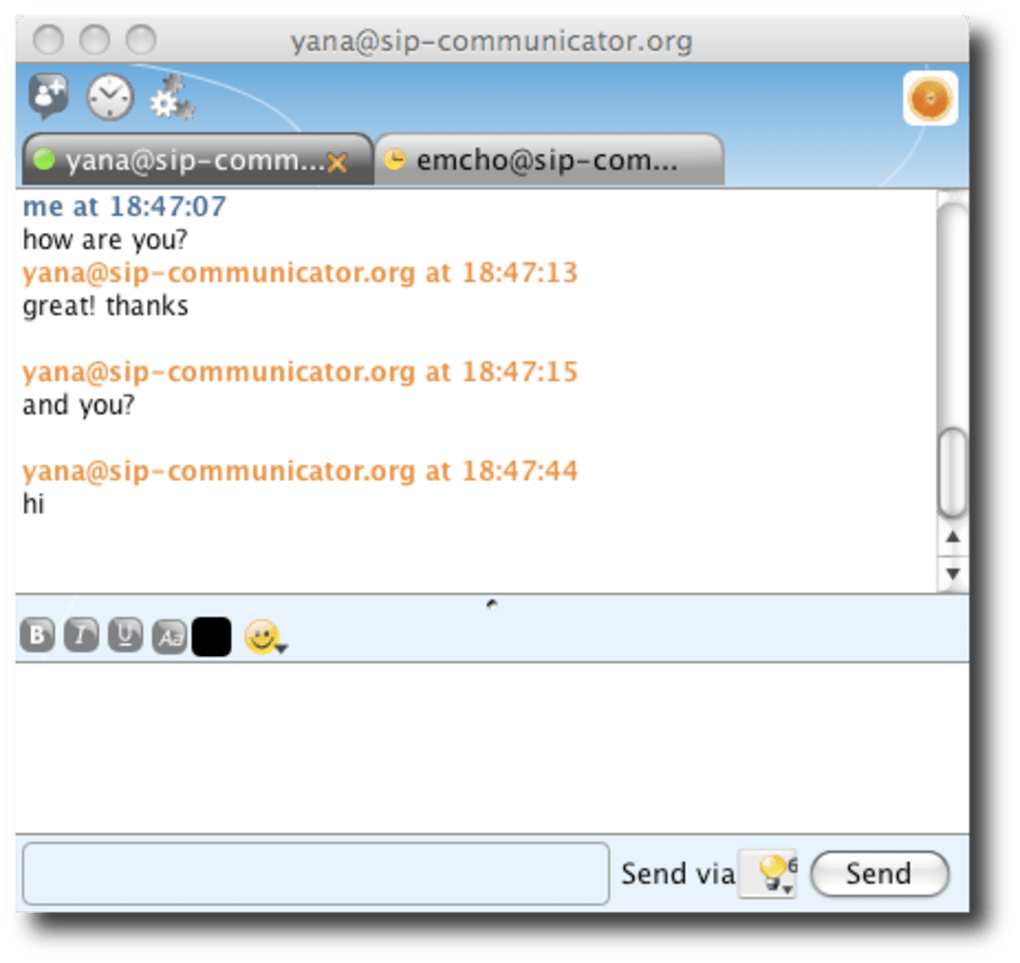
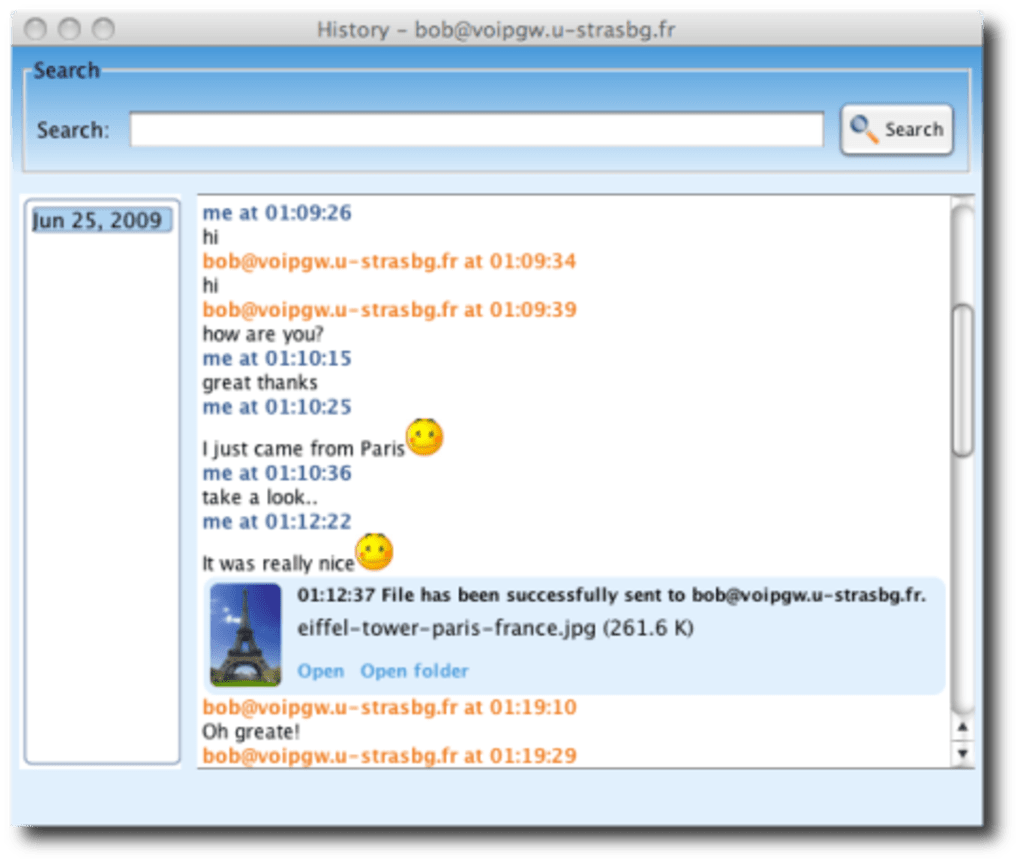
This breadth of compatibility makes it a versatile hub for users who maintain contacts across multiple networks. Unlike many modern chat apps that lock you into a proprietary ecosystem, Jitsi lets you keep your existing usernames and passwords while adding the ability to start one‑to‑one or group video calls with just a click. The client stores chat histories locally, offers a modest set of emoticons, and provides a contact list that updates in real time.
While the UI may feel less polished than competitors such as Adium or Microsoft Teams, Jitsi’s real strength lies in its all‑in‑one approach: you can type a message, launch a voice call, or start a high‑definition video conference without leaving the application. Regular nightly builds ensure that security patches, protocol updates, and new features are delivered quickly, keeping the software fresh and reliable. Whether you need a simple IM client for everyday messaging or a robust platform for remote collaboration, Jitsi delivers a free, secure, and cross‑platform solution that’s worth a closer look.
Key Features & Capabilities
- Support for more than ten instant‑messaging protocols, including XMPP/Jabber, SIP, and Facebook Chat.
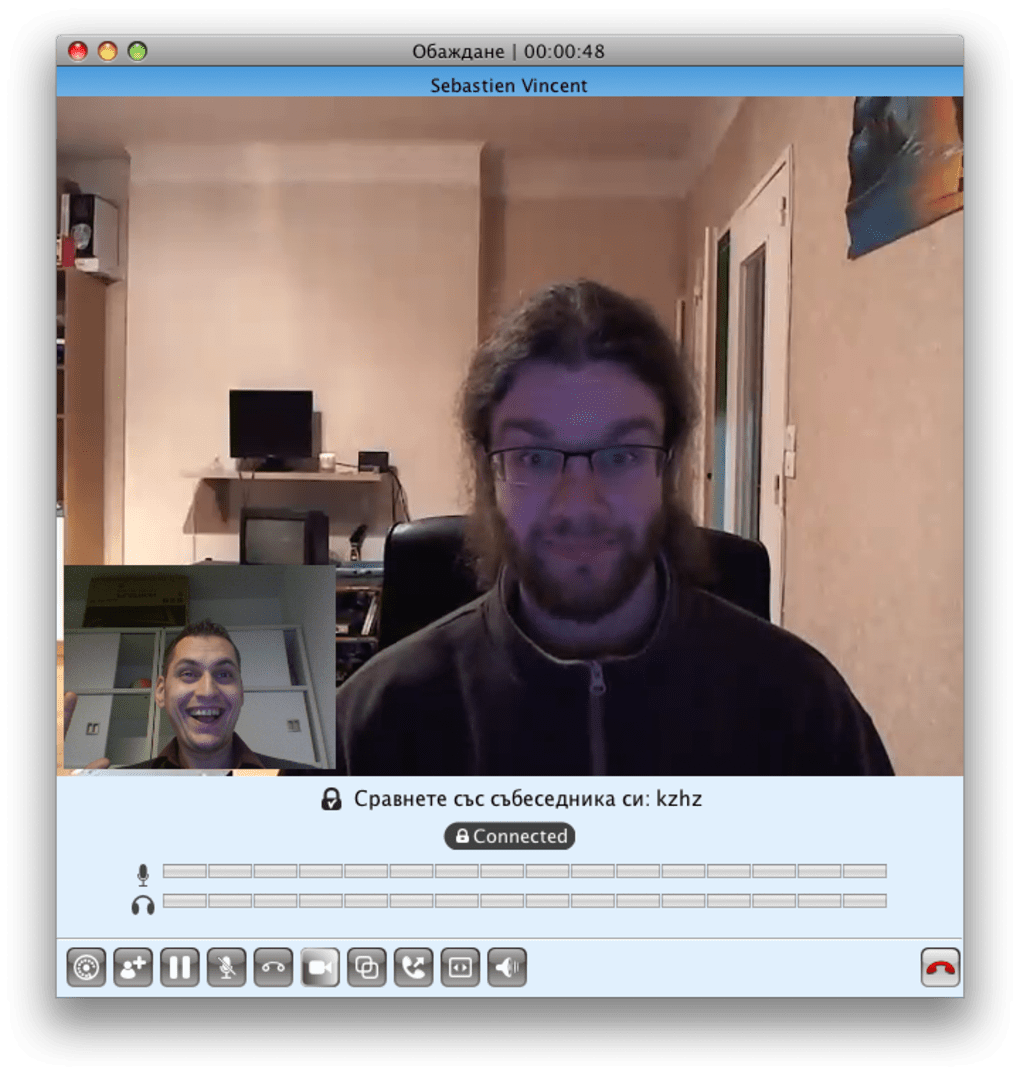
- Integrated audio and video calling with HD quality and optional screen sharing.
- Group chat and conference capabilities for up to dozens of participants.
- Local chat history storage with searchable logs.
- Cross‑platform availability: macOS, Windows, Linux, Android, iOS.
- End‑to‑end encryption options for both messaging and calls.
- Nightly build updates that provide the latest security patches and feature enhancements.
- Open‑source codebase, allowing community contributions and custom extensions.
- Simple contact management with automatic presence detection.
- Low system resource usage, making it suitable for older hardware.
Each of these features works together to create a cohesive communication environment. The protocol agnostic design means you never need to juggle multiple apps—Jitsi acts as a universal gateway. Video calls are powered by WebRTC, ensuring smooth performance even on modest internet connections, while SIP integration lets you connect to traditional VoIP services.
The open‑source nature not only guarantees transparency but also encourages developers to build plugins, such as custom emoji packs or integration with third‑party calendar tools. For privacy‑conscious users, Jitsi offers optional encrypted channels that protect both text and media from eavesdropping. The nightly build model, though it may require a little technical comfort, guarantees you’re always running the most secure version, which is essential for a communication tool that handles voice and video streams.
In short, Jitsi packs a professional‑grade feature set into a free, community‑driven package.
Installation & First‑Time Usage
Getting Jitsi up and running is straightforward, regardless of your operating system. For macOS users, download the latest DMG file from the official Jitsi nightly build page. After the download completes, open the DMG, drag the Jitsi icon into your Applications folder, and launch the app. Windows users can download the installer (.exe) and follow the typical “Next‑Step” wizard, while Linux enthusiasts can grab the .deb or .rpm package or compile from source using the provided GitHub repository. Mobile users find the app in the Apple App Store or Google Play Store under the name “Jitsi Meet” for conference calls, though the full messenger client is primarily desktop‑focused.
Upon first launch, Jitsi prompts you to create or import an account for each protocol you wish to use. You can add an XMPP account by entering your Jabber ID, password, and server address, or configure a SIP account with your VoIP credentials. The setup wizard validates the connection, then populates the main window with your contact list, grouped by protocol.
To start a chat, double‑click a contact, type your message, and hit Enter. For voice or video, click the phone or camera icons located in the chat header. Group calls are initiated by selecting multiple contacts, then choosing “Start Conference.” The interface remembers your preferences, so the next time you open Jitsi, you’ll find your contacts, recent chats, and any active calls already displayed.
For users who prefer a command‑line approach, Jitsi also supports launching calls via URL schemes (e.g., jitsi://[email protected]), which can be embedded in browsers or other applications.
Compatibility, Pros & Cons
Jitsi runs natively on macOS 10.12 and later, Windows 7 through Windows 11, and most major Linux distributions (Ubuntu, Fedora, Debian). Mobile support is limited to the Jitsi Meet app for Android 5.0+ and iOS 11+. Because the client uses standard protocol libraries, it works seamlessly behind firewalls and NAT routers, though some corporate environments may require additional port forwarding for SIP or XMPP.
Pros
- Free and open‑source, no subscription fees.
- Broad protocol support eliminates the need for multiple apps.
- Integrated audio/video calling with screen sharing.
- Regular nightly builds keep security up‑to‑date.
- Low memory footprint makes it ideal for older machines.
Cons
- Interface feels dated compared with modern UI‑heavy competitors.
- Limited emoji set and customization options.
- Mobile functionality focuses on Jitsi Meet rather than full messenger features.
- Nightly builds can be less stable than official releases.
- Advanced configuration (e.g., custom encryption) may require technical knowledge.
Frequently Asked Questions
Is Jitsi completely free or are there hidden costs?
Jitsi is 100 % free and open‑source. There are no subscription fees, no hidden in‑app purchases, and no premium tiers. All features—including audio and video calls—are available to every user.
Can I use Jitsi for business meetings with more than 10 participants?
Yes. Jitsi supports group conferences for dozens of participants. The exact limit depends on your hardware and network bandwidth, but most users can host meetings of 20‑30 people without noticeable lag.
How secure are Jitsi’s video calls?
Jitsi uses WebRTC with DTLS‑SRTP encryption for audio and video streams. When you enable end‑to‑end encryption for XMPP chats, messages are also protected. Regular nightly builds address emerging security concerns, keeping the platform up‑to‑date.
Do I need a separate account for each protocol?
Yes. Jitsi acts as a client for existing services, so you must enter the credentials for each protocol you wish to use (e.g., your XMPP JID, SIP username, or Facebook login). Once added, Jitsi stores them securely and logs you in automatically.
Is there a way to integrate Jitsi with my calendar?
While the core Jitsi client does not include native calendar integration, you can use third‑party plugins or scripts to generate Jitsi Meet links from calendar events. The open‑source community frequently shares such extensions on GitHub.
Conclusion & Call to Action
Jitsi stands out in a crowded market of messenger apps by offering a truly universal communication hub—free, secure, and compatible with virtually every major IM protocol. Its ability to launch high‑quality audio and video calls without extra plugins makes it a compelling choice for both personal use and small‑team collaboration. While the user interface may not sparkle like commercial rivals, the trade‑off is a robust feature set that never forces you into a proprietary ecosystem. If you’re looking for a versatile, cross‑platform messenger that respects your privacy and keeps costs at zero, Jitsi is the answer.
Ready to experience seamless chatting, voice, and video all in one place? Free download the latest nightly build today and start connecting with friends, colleagues, and clients across every network you use.







